


|
Name |
Acode Pro |
|---|---|
|
Google Play Link |
GET IT ON
Google Play
|
|
Category |
Productivity |
|
Developer |
Foxbiz Software Pvt. Ltd. |
| Last version | 1.13.2 |
|
Updated |
|
|
Compatible with |
Android 7.0+ |
Introduction to Acode Pro APK
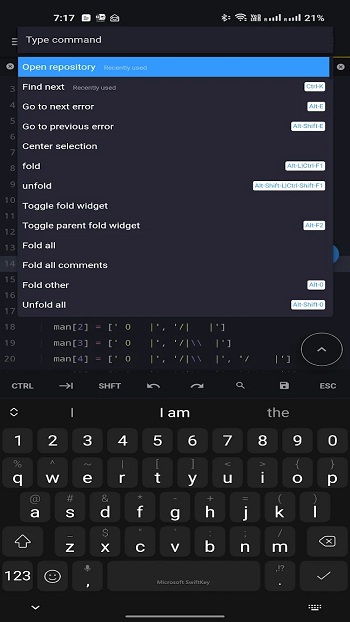
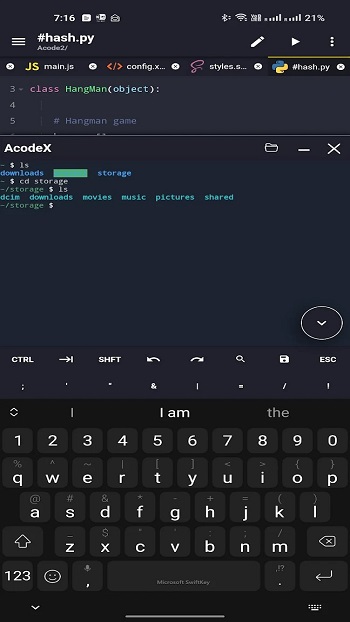
Acode Pro APK is a mobile application built for Android devices. It works as a lightweight code editor and web-based IDE that runs directly on a phone or tablet. The app targets people who want to write, edit, and test code without relying on a laptop.
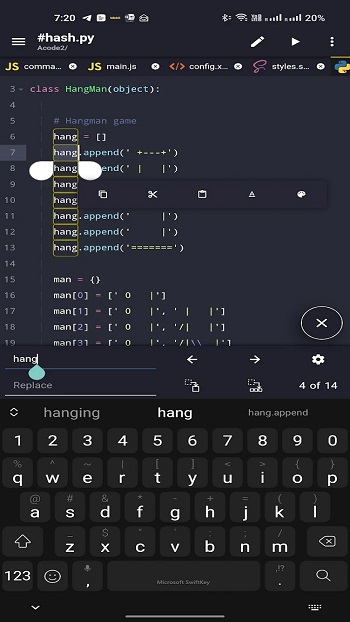
The main purpose of Acode Pro is code editing and project management on mobile. It supports web development, scripting, and general programming tasks. Users can work with HTML, CSS, JavaScript, Python, Java, and many other file types from local storage or connected servers.
One of its strongest points is the plugin system. Users can install plugins to extend editor functions, add tools, or adjust workflows. This setup makes the app flexible for different coding habits, from simple text editing to structured project work.
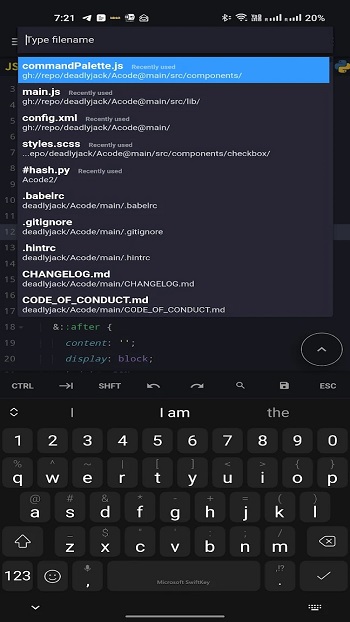
Acode Pro focuses heavily on speed and stability. Large files with tens of thousands of lines open smoothly, and multiple files can stay active at the same time. Built-in previews help check HTML or Markdown files without switching apps, which saves time during quick edits.
The app also includes tools that matter in real projects. GitHub integration allows syncing code repositories. FTP and SFTP support help manage remote servers. Keyboard shortcuts and customizable quick tools reduce repetitive actions, especially for users with external keyboards.
There are a few limitations to keep in mind. Running complex programs is still constrained by mobile hardware. Beginners may need time to adjust to the interface and plugin setup. Some advanced features require in-app purchases, which may not suit casual users.
Acode Pro fits developers, students, and hobby coders who need a reliable editor while traveling or working away from a computer. It works best for quick fixes, learning code, reviewing projects, and managing small to medium workloads on Android devices.
FAQs Acode Pro
What is Acode Pro?
+
Acode Pro is a paid Android code editor that lets users write, edit, and manage programming files directly on mobile devices.
What is Acode Pro APK used for?
+
It is used for coding, editing source files, testing web pages, and managing projects without needing a desktop computer.
Does Acode Pro support multiple programming languages?
+
Yes, it supports over 100 languages, including HTML, CSS, JavaScript, Python, Java, Dart, and more.
Is Acode Pro suitable for beginners?
+
Beginners can use it for learning and practice, though some features may feel advanced at first.
Can Acode Pro handle large files smoothly?
+
Yes, the app is optimized to open and edit files with over 50,000 lines without slowing down.
Discover More Interesting Apps
-

Grok
v1.2.26-release.01
64.07 Mb
Updated -
Mod
Claude AI
v1.260828.0
44.00 Mb
Updated -
Mod
Grok 3
v1.2.26-release.01
64.07 Mb
Updated -
Mod
Solid Explorer File Manager
v3.5.19
24.12 Mb
Updated -
Regain
v64.2.1834
52.04 Mb
Updated -
Google NotebookLM
v1.55.10.971450265
40.02 Mb
Updated -
Mod
Todoist
vv12258
54.10 Mb
Updated -
DeepSeek
v2.4.3
18.35 Mb
Updated -
Mod
Ask AI
v3.6.1
126.85 Mb
Updated -
BLOApp
v9.67
99.32 Mb
Updated









Share Your Thoughts